Software Planning
Intro
Goals
Be able to conduct user research
Be able to create user personas
Understand how to create high quality prototypes
Before you build software…
Conduct research
Create user personas
Create a prototype
User Research
Quote
“Get closer than ever to your customers. So close that you tell them what they need well before they realize it themselves.”
-–Steve Jobs
All You Need is an Idea
It’s very easy to have an app idea
It’s harder to deliver on that idea fully
Your idea should solve actual problems for real (potential) users
Purpose
User research allows developers, designers, business leaders, and more to fully understand their user’s behaviors, motivations, and expectations
…before any coding/development/design taking place!
Define the Problem
Useful research is built on a clear problem statement.
A research problem statement includes a topic and a goal.
Problem statements include outcome words like Describe or Identify.
Problem Statement Examples
“Identify the needs of people who use dog walking services”
“Describe the expectations that people have when they sign up for a music streaming service”
“Identify the motivations of people who purchase a gym membership”
User Research Approaches
Survey: Answer questions on a survey
Interviews: Ask live questions and record freeform answers
Observation: Watch and learn from people’s natural behaviors
Focus groups: Get a group together and facilitate a discussion
Contextual inquiry: Blend of observation and interview
Usability testing: Watch someone use an app prototype
Literature review: Read existing research on your problem statement and summarize
Recruiting
Good research is dependent on quality participants
Participants need to represent your target demographic
Screening: Determine whether a potential participant is a part of your target demographic
Usually self-selected
Data Collection
Depending on the approach, you’ll have a lot of data
Be strategic about organizing data
Analysis & Results
Might have to code qualitative data into quantitative
In an interview, how many times did the user mention [insert topic]?
While conducting observation, how many times did people exhibit [some behavior]?
Be open to not knowing or being wrong
Use data visualization tools to help you
User Personas
What is a persona?
A persona is a representation of a type of person or group of people.
It helps us answer the question, “Who are we designing for?”
They are not real people but are modeled after real people that you encounter in your research.
Not demographics! Not stereotypes!
Why personas?
Design tool - inspires product functionality & behavior
Communication tool - provides a common language
Empathy tool - helps the team occupy user’s perspective
Personas help prevent
The Elastic User
Every person on the team has their own conceptions on what the user is and they fit it to their needs.
Self-referential Design
Projected goals, motivations and mental models of the designer or the team. I think that the users want to do this…
Edge Cases
Situations that rarely happen or won’t happen for most people. Must be considered and accounted for but not become the design focus.
Example
Mobile Coffee Ordering App
Persona 1: Ashley – Health Conscious, On-The-Go Young Adult
Persona 2: Conor and Becca - Working Parents
Persona 3: Jen - Tech-Focused Teenager
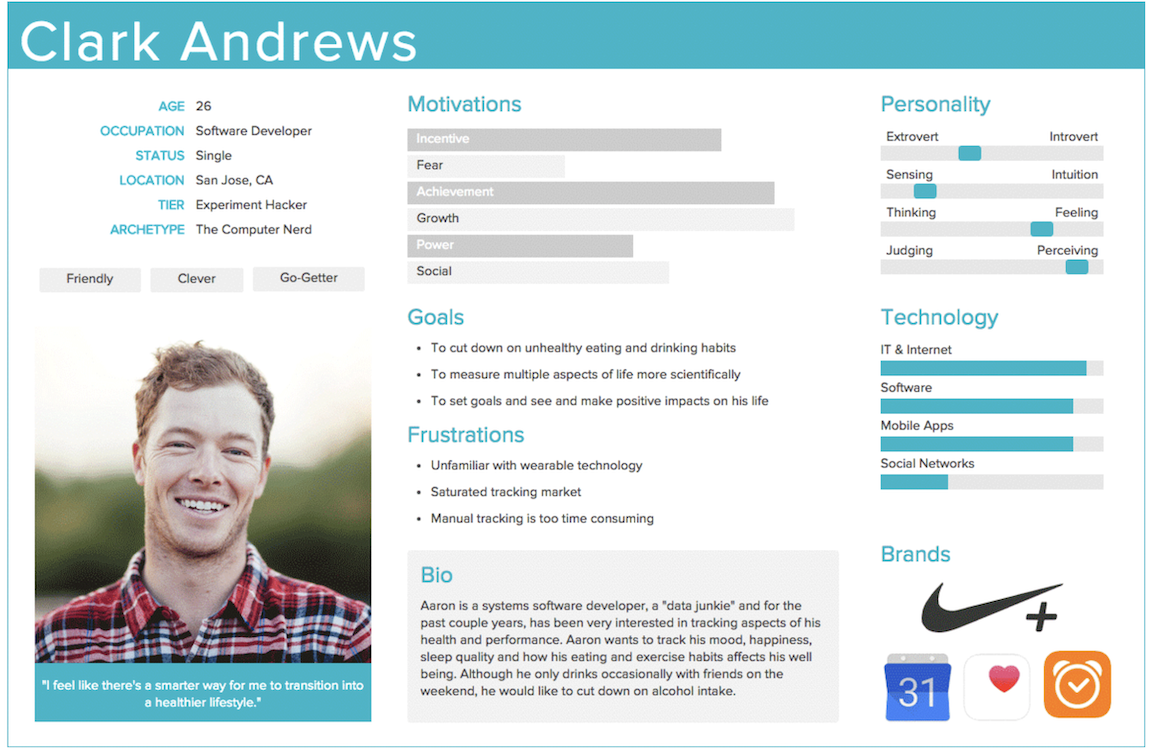
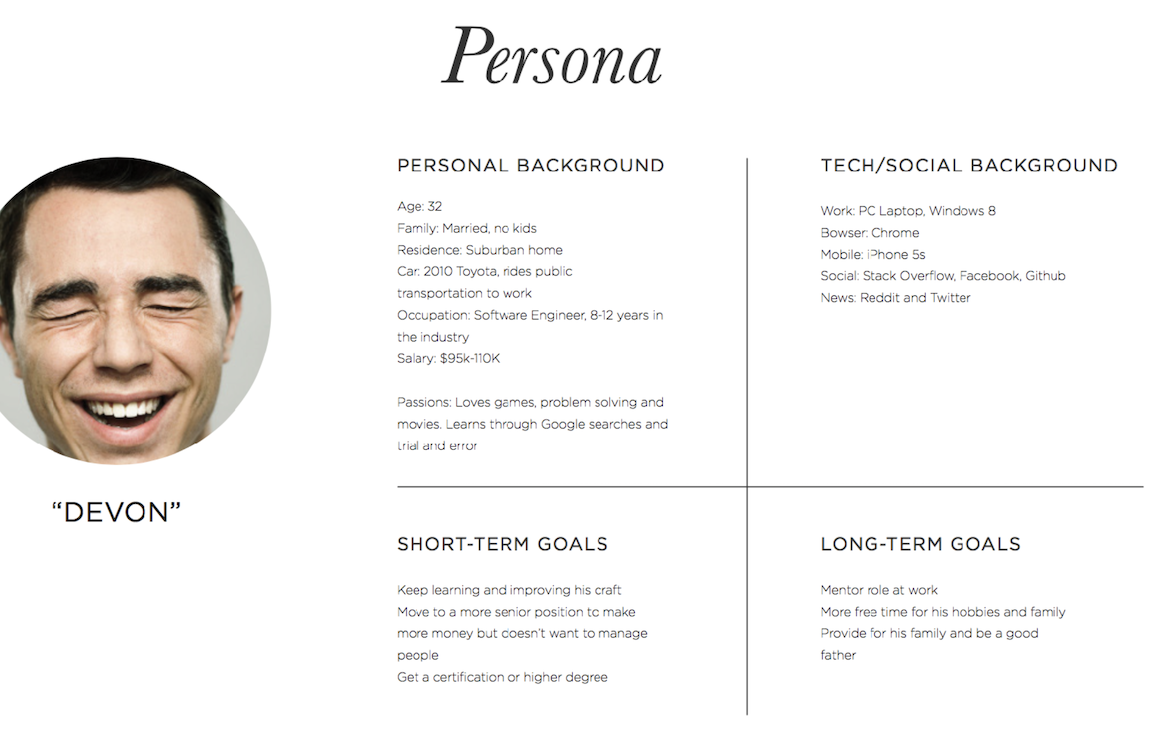
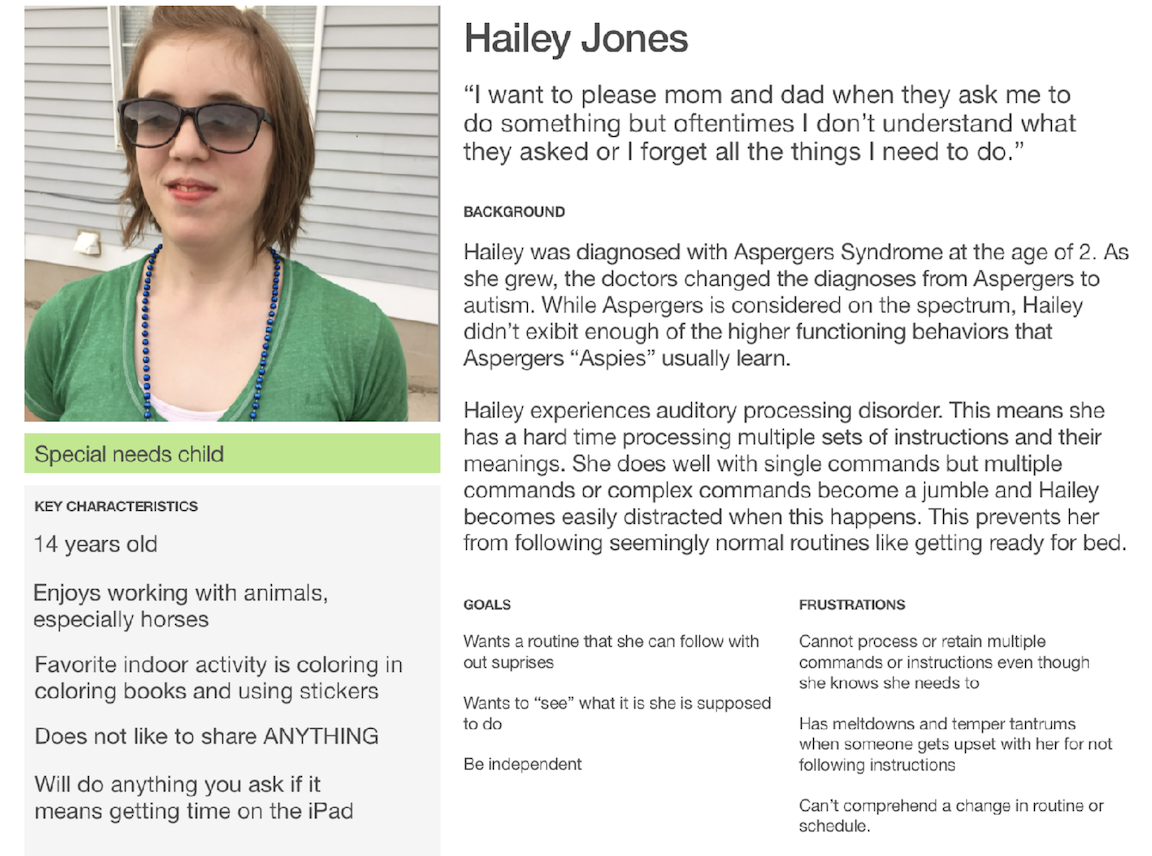
Parts of a Persona
Name of person
Image of person (can be drawing or stock image)
Description of person (age, location, personality, feelings, biography)
Motivations
Goals
Frustrations or Problems
Persona Design
Persona should have a engaging presentation
Persona Documentation Example 1
Persona Documentation Example 2
Persona Documentation Example 3
Prototyping
What is it?
“A prototype is a draft version of a product that allows you to explore your ideas and show the intention behind a feature or the overall design concept to users before investing time and money into development.”
– usability.gov
Something that is interactive with limited functionality to test an idea.
Can be low-fidelity: paper
Can be high-fidelity: feels like a real app, but isn’t
Can click through
Why?
It is much cheaper and cost effective to build a limited functioning product/software and see if it works/has a market before investing a lot of money on resources and development.
Test out usability
Ensure your product is right so you don’t have to make big changes post-launch
Paper Prototyping
Low-cost effective way to discover ideas
Communicate ideas visually
Sketching does not have to be “art”
Doesn’t have to be visually pleasing, necessarily
Needs to communicate an idea
Example
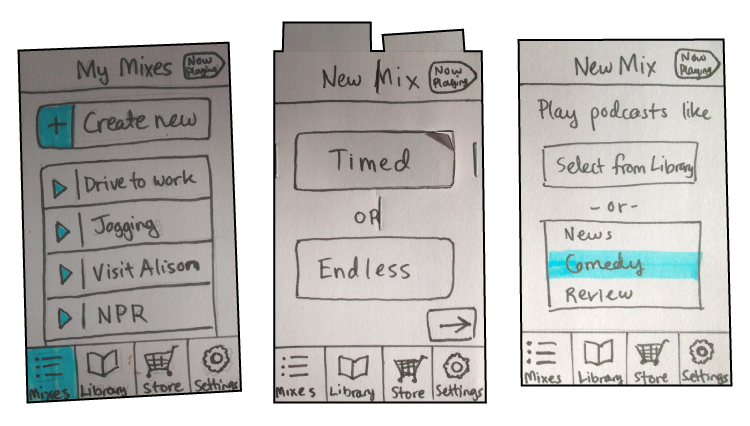
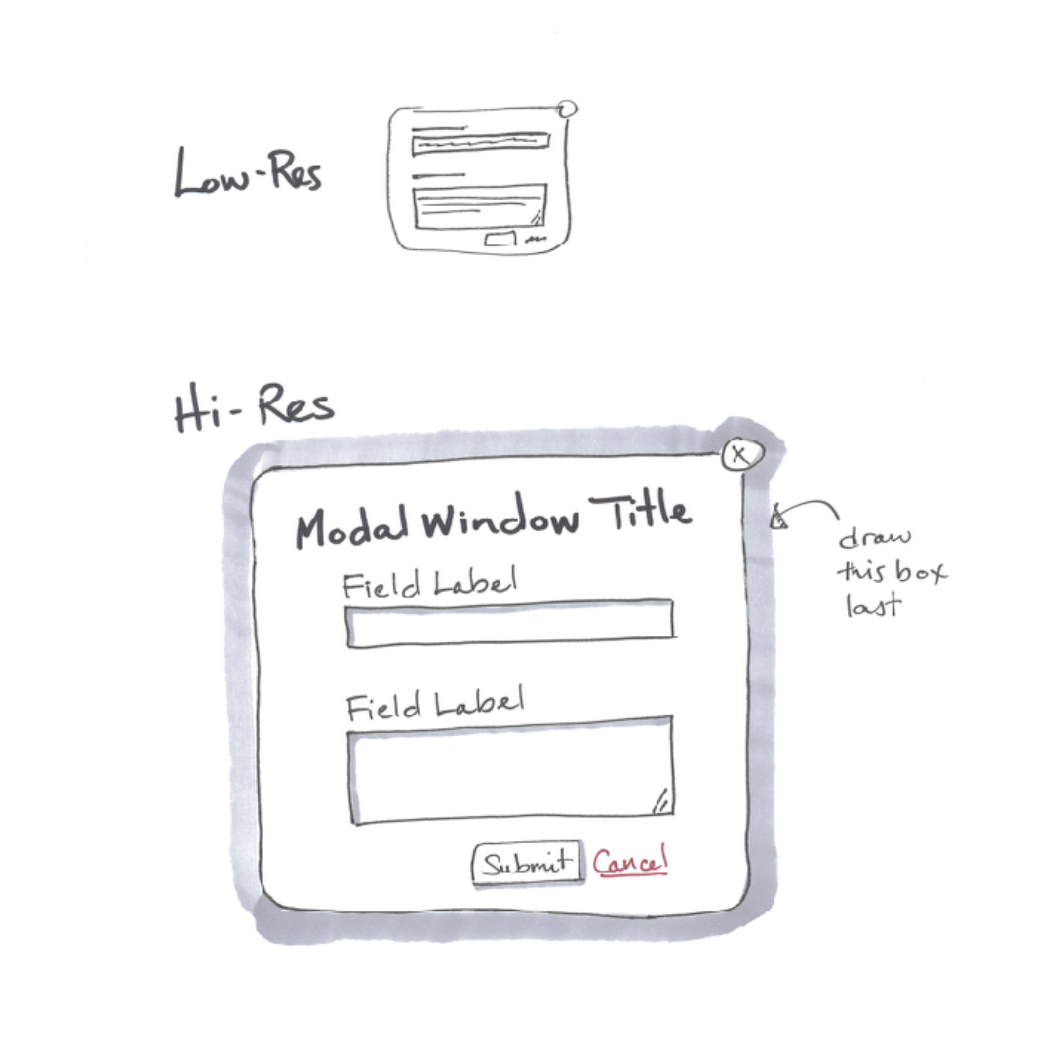
Sketches
Needs to happen quickly and on demand
Cheap enough to be disposable
Communicate in a medium/ material that gives it a sense that it is rough
Visual vocabulary needs to be understood by all viewers (lines, arrows, boxes)
Low-Fi & High-Fi Prototypes
Low-Fi and High-Fi prototypes are not sketches
They’re created using prototyping software
They look like real app pages
Low-Fi
Some placeholder images or placeholder text
High level design is in place
Gives a general feel of the experience
High-Fi
Looks exactly as the app would look if it were built
Not a functioning app, but it could fool you
Low-Fi vs. High-Fi
Further Study
Resources
https://www.youtube.com/playlist?list=PLWlUJU11tp4deQOnSFNn_ekpS9GA5_7yP